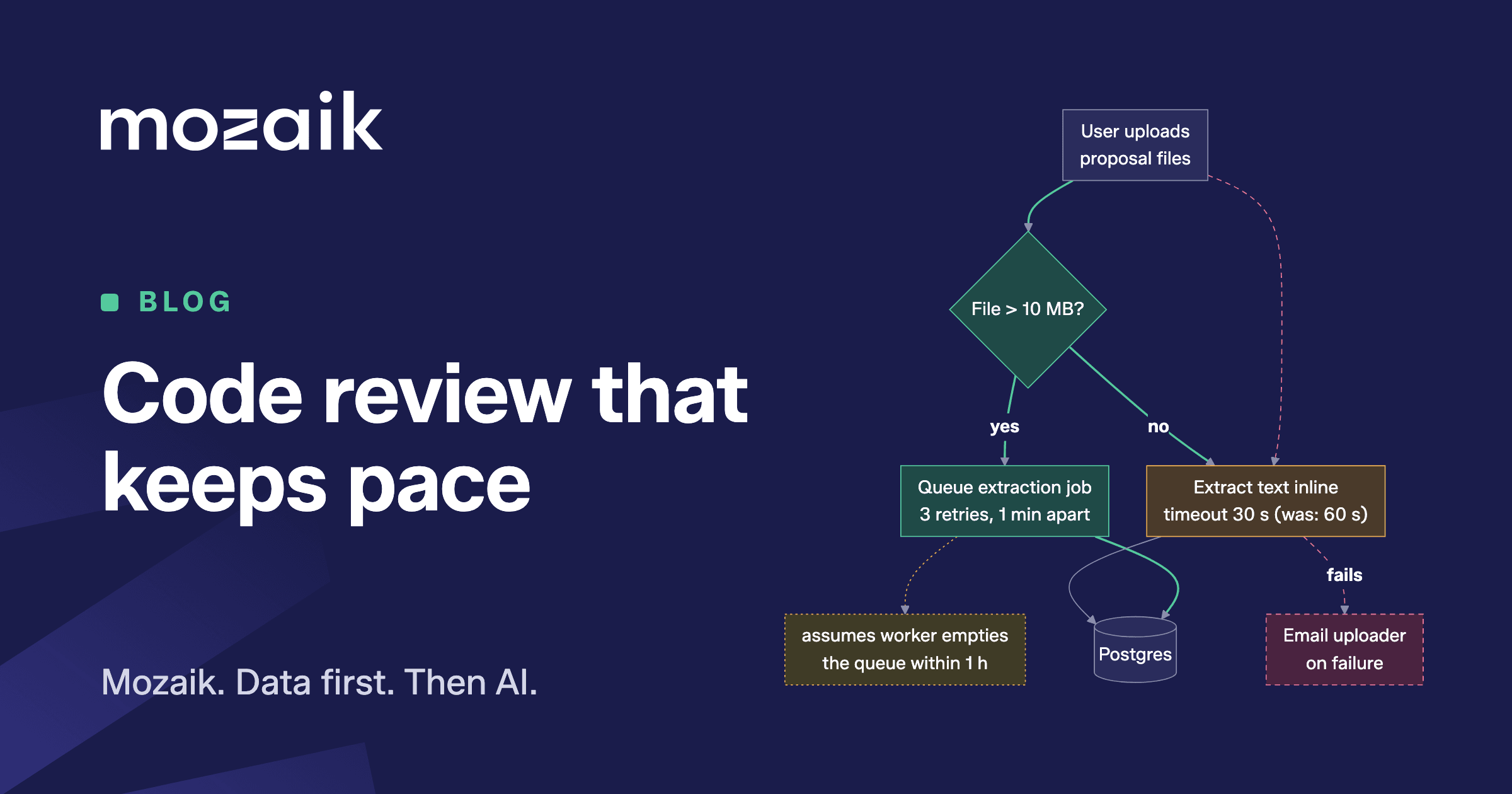
This October we at Mozaik went to Italy for our first ever hackathon. A perfect setting to step away from daily operations and work on a small wishlist of problems for which there is never time on a normal day. One of those problems was the fast-moving target called code review.
The problem
As most code nowadays is written with LLMs and coding agents, code review becomes increasingly difficult. Pull requests tend to get larger, feature scopes grow during development, and LLM output is extremely verbose by default. While the quality of generated code is improving rapidly, correctness is no longer the biggest problem in writing code. The real question is whether the engineer instructed the agent well enough for what was implemented to match the feature they had in mind.
From a reviewer's perspective this is an even tougher question. They might not know the context of the feature or bug at hand, or worse, they do not know the codebase at all. We also noticed that when asked for a review, reviewers often simply asked a group of agents to attack the code changes. The result was an approval or a change request without the reviewer ever understanding the full context.
We split the problem in two: help the reviewer understand what a PR is supposed to do, and automate the part of the review that was already being done by an LLM. Both run as GitHub Actions on every pull request.
Part one: descriptions with diagrams
To give a reviewer a head start, we begin with the PR description. Using the code changes, the commit messages, the existing PR description (usually written by an agent) and the linked ticket or epic if there is one, the first action writes a short summary of the changes. Part of that summary is an overview of data model changes and role or permission changes. On top of that come two sets of Mermaid diagrams. The first shows code flow changes: the changed behaviour of the application. The second shows how the branching of the changed functions differs. Both show old and new in one picture, which makes the change visible without reading the diff.
Both diagrams use the same colours: green for added, red and dashed for removed, orange for modified and grey for unchanged context. Take a PR that sends large file uploads to a background job instead of processing them directly. The code flow diagram describes the behaviour in product terms, including the values that shape it and what the code assumes without checking:
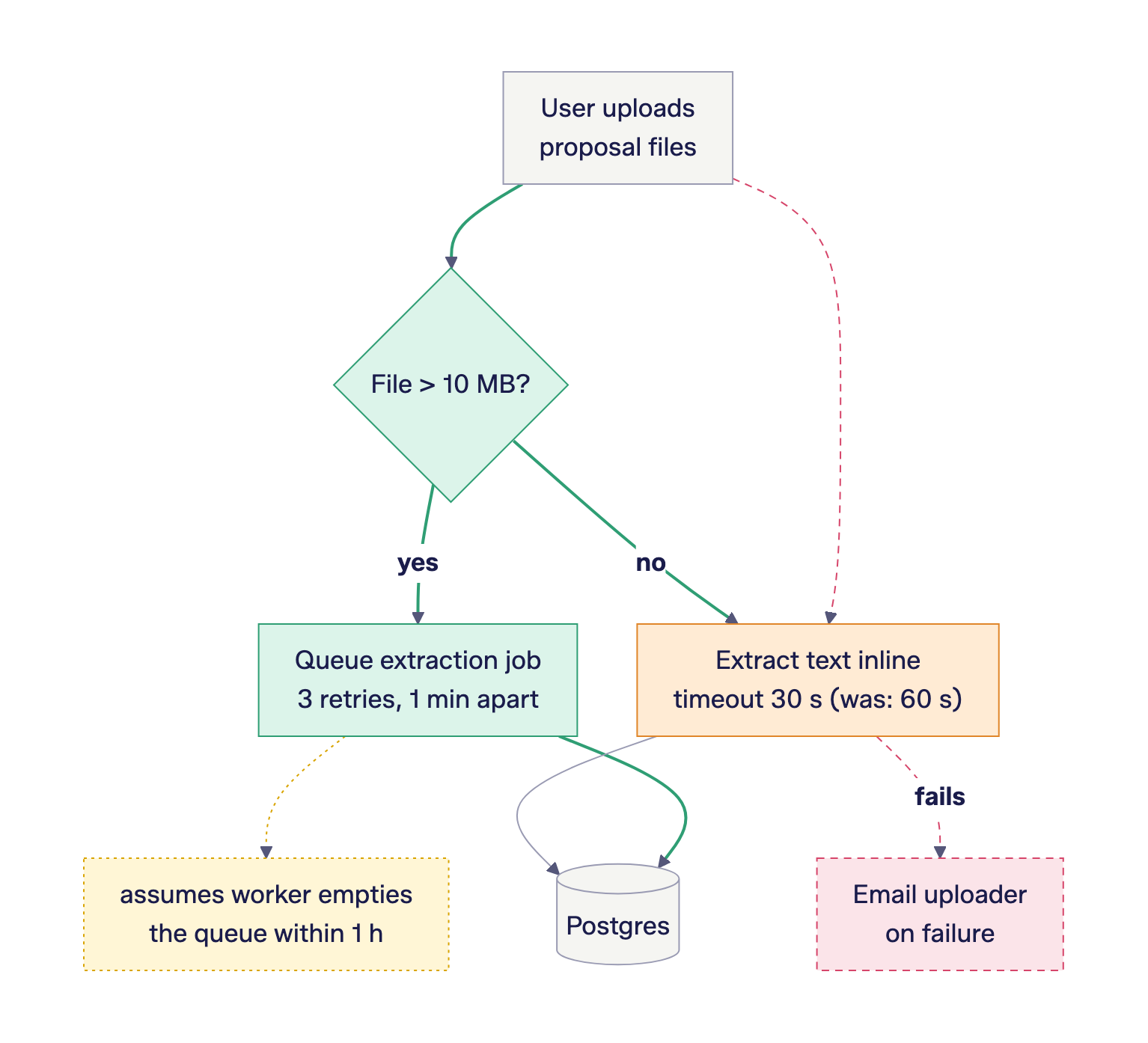
From this diagram alone, a reviewer can ask the questions that matter: is 10 MB the right limit, is it acceptable that the failure email is gone, and does the worker really empty the queue within an hour? None of these require reading the diff first.
The code path diagram shows the same change at the level of a single function, with the names used in the code:
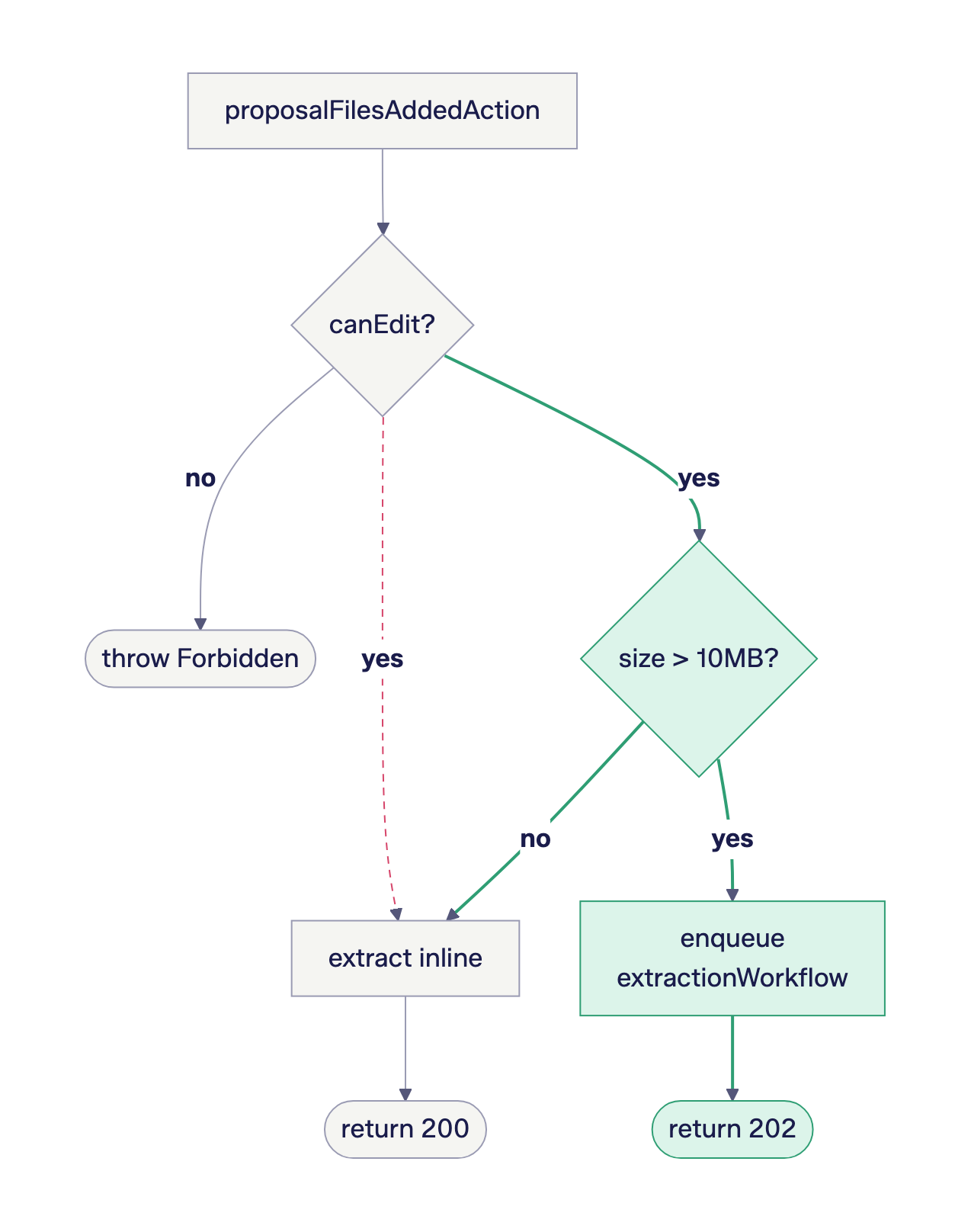
The description is updated after every push. Instead of rewriting it, the action edits the existing description and diagrams with only the new changes, so a reviewer who already read it only has to look at what is different.
Part two: automated review
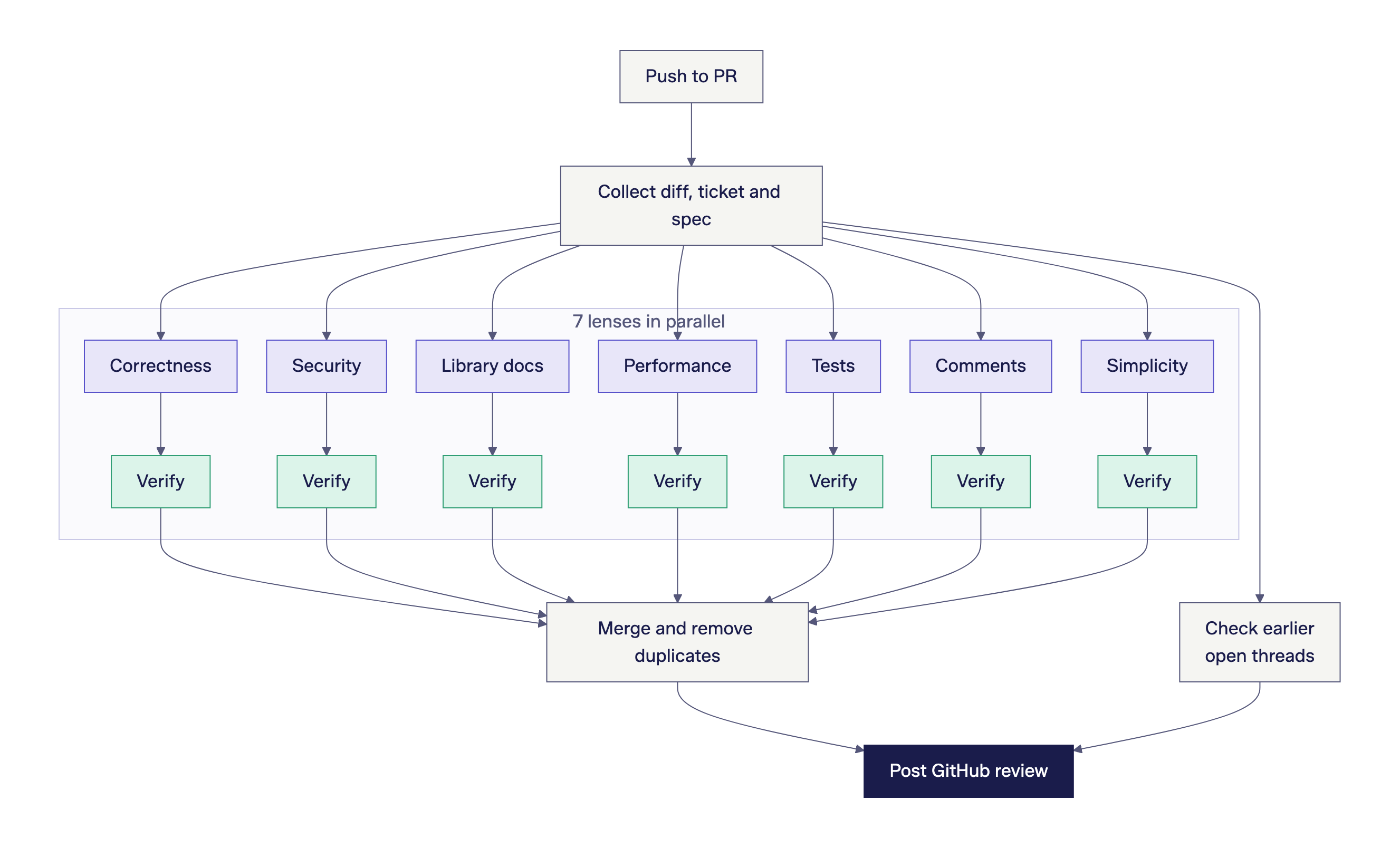
The second action is the automated review, which posts inline comments. The code is checked through seven different lenses, each looking at the changes from a different angle: correctness, security, use of external libraries, performance, tests, comments and simplicity. The last three are mainly there to reduce the verbosity of the code. Each pass compares the changes to the spec or ticket, if there is one. So rather than only checking correctness, it checks intent too. Every new push triggers an incremental review of the changes.
The lenses run in parallel. Each lens is followed by a new, separate session that tries to disprove every finding by reading the code, and discards the ones it cannot confirm. A final session merges what is left into one GitHub review, with a thread per finding and an advisory verdict:
On every push the reviewer also checks the threads it opened before. When an issue is fixed, it replies with the commit that fixed it and resolves the thread. When a finding is wrong, anyone with write access can react with a thumbs down, and the finding is not raised again on that PR.
Runner and harness: GitHub Actions and Pi
We wanted the reviewer to run where our pull requests already are, without a server to host or maintain. GitHub Actions does exactly that. A workflow starts when a PR is opened, reopened, marked ready for review or receives a new push. Credentials are stored as repository or organisation secrets. Both actions are packaged as composite actions, so any repository in our organisation can use them by adding a job to a workflow file. Every run uploads its working files and the logs of each session, so when a finding is posted, or not, we can see why.
The agent harness is Pi, which we install as Pi-Bolt. Pi is a small, open-source coding agent that runs without interaction from a shell script, which is all we need in CI. Each lens, verification step and merge step is a separate Pi process with its own instructions, and a shell script starts them and collects their output. The instructions themselves are Markdown files in our repository. Pi also lets us choose the provider, the model and the thinking level per run.
Why not CodeRabbit or Greptile?
Platforms like Greptile and CodeRabbit exist. We decided not to use them, for three reasons. First, they feel too clunky for what we had in mind. Second, both are more expensive than running our own setup, while the quality of their reviews felt comparable to ours, if not worse. Third, we wanted full control over the description and review prompts. In our setup, every instruction is a Markdown file in our own repository. When we disagree with a finding, we change the prompt in a pull request, and that pull request is then reviewed by the reviewer itself.
Why it produces smiles
It seemed like low-hanging fruit and rather straightforward, but it feels almost revolutionary for us. Review time is reduced, because it only makes sense to ask a reviewer to check your PR after the automated review is done, and by then most comments are resolved, if not all. Reviewers usually need to look at the summary and the visuals only once to decide whether what was created matches what was intended. The weight of the review has shifted towards design, away from style and code correctness. We need fewer iterations to get from a review request to an approval. A bonus side effect is less context switching for both writer and reviewer. And most importantly, both writer and reviewer now have a framework to understand the changes well.